Mouse Echo Delay for NVDA
NVDA add-on
Version 0.3.1 (beta) · Updated · · Free and open source
NVDA's mouse tracking, also known as mouse echo, reads whatever passes under the pointer the instant it passes: sweep across a page and you hear the first syllable of everything on the way. Mouse Echo Delay makes it wait until the mouse has stopped, so only the spot you settle on is read. Everything else about mouse tracking stays exactly as NVDA does it. NV Access has an open request for this feature; until it is built into NVDA, this add-on fills the gap.
Two Settings
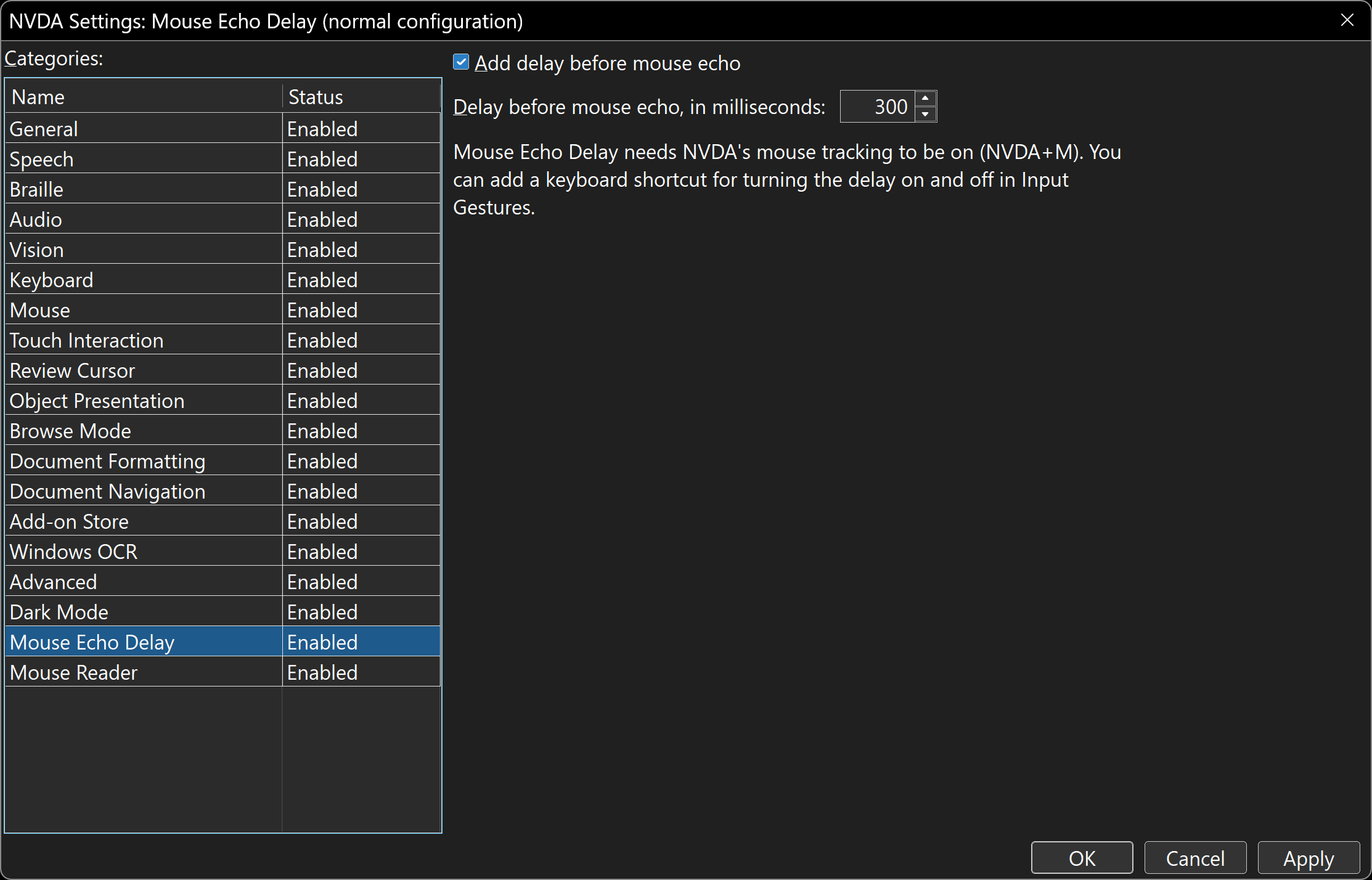
Turn the delay on or off, and type or step the delay in milliseconds. That is the whole panel.
Screenshot 1 of 1: The NVDA Settings dialog open at the Mouse Echo Delay category: an Add delay before mouse echo check box, a Delay before mouse echo number box set to 300 milliseconds, and a note that the add-on needs NVDA's mouse tracking to be on. Two Settings. Turn the delay on or off, and type or step the delay in milliseconds. That is the whole panel.
How to Install
- Press the Install button above to download
mouseEchoDelay-0.3.1.nvda-addon. Your browser may ask you to confirm the download, since.nvda-addonfiles are uncommon. - Open the downloaded file (press Enter on it in your Downloads folder). NVDA shows a dialog titled Add-on Installation that says: “Are you sure you want to install this add-on? Only install add-ons from trusted sources. Addon: Mouse Echo Delay 0.3.1”. Choose Yes.
- NVDA says “Please wait while the add-on is being installed”, then asks: “Changes were made to add-ons. You must restart NVDA for these changes to take effect. Would you like to restart now?” Choose Yes.
- Updating later works the same way, except the first dialog asks whether to update the installed version to the new one. Choose Yes. You can also install from inside NVDA: NVDA menu, Tools, Add-on Store, then Install from external source, and pick the downloaded file.
To turn it off, untick Add delay before mouse echo in NVDA Settings, Mouse Echo Delay, or assign a key to the toggle command under Input Gestures, in the Mouse Echo Delay category.
Key Features
- Quiet until you stop. While the mouse is moving, NVDA says nothing; once it has been still for the delay, NVDA reads what is under it, exactly as it would have.
- Your delay. A number box in milliseconds: 300 by default, the arrow keys step it by 10, and anything from 0 (read at once, like NVDA itself) to 10 seconds can be typed.
- NVDA's own rules, untouched. Moving around inside a paragraph does not repeat it, moving off onto a blank area lets it keep reading, “report object when mouse enters it” and the audio coordinates still work, and the text unit (character, word, line or paragraph) is still NVDA's own setting. The add-on only holds NVDA's mouse event back until the mouse is still, then lets the same event through.
- A toggle command you can give a key under Input Gestures; it announces the delay in effect.
- Follows configuration profiles, like every NVDA setting.
Accessibility
- Two controls, both standard NVDA settings controls: a check box and a number box.
- Nothing NVDA announces changes; only when it announces it.
- Built and tested by a low vision NVDA user who finds the screen with the mouse.
Requirements and Known Limits
- NVDA 2026.1 or later, on Windows 10 or 11.
- NVDA's mouse tracking must be on (NVDA+M): the add-on delays mouse tracking, it does not replace it.
- Hopefully a stopgap. NV Access has an open feature request for exactly this (issue 19372). When it lands in NVDA, this add-on can retire.
- Beta. This is the first public version. If something is read too early, too late or not at all, tell us.
Open Source
Mouse Echo Delay is free software under the GNU General Public License, version 2, the same licence as NVDA. The source code and the licence are in the mouse-echo-delay-for-nvda repository on GitHub, where each version is also published as a release.
Categories
Productivity NVDA add-ons